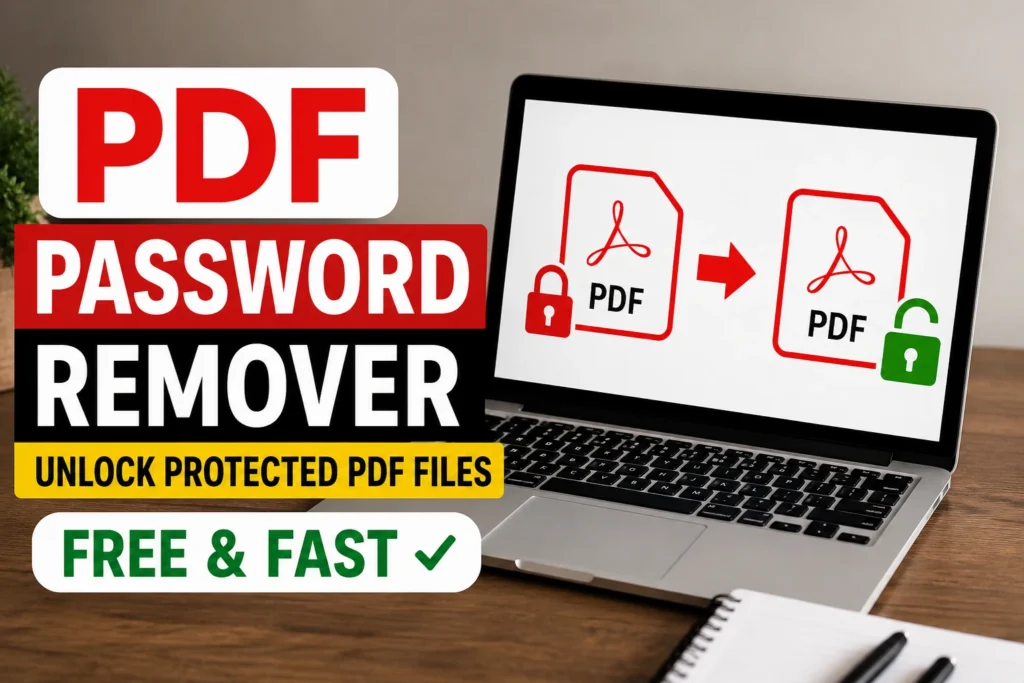
PDF Password Remover: Unlocking Protected PDF Files Online (Free & Fast)
PDF Password Remove
Select password-protected PDF
PDF Password Remover: Unlocking Protected PDF Files Online (Free & Fast).If you’ve ever opened a PDF only to be blocked by a password prompt, you already know how frustrating it can be. Maybe you forgot the password yourself, or maybe you received a file from a client, employer, or government office and simply need to view or edit it without typing a code every single time. Whatever the reason, you’re not alone thousands of people search for a reliable way to remove password from PDF files every single day.
This guide walks you through everything you need to know about removing PDF passwords safely, quickly, and for free, using a browser-based PDF Password Remover tool. No downloads, no installations, no technical skills required.
Why Do People Need to Remove a Password from a PDF?
PDF encryption exists for good reasons banks, HR departments, and legal firms often lock documents to protect sensitive information. But that same protection quickly becomes a headache when:
- You forgot the password you set months ago and now need to remove password protection from PDF to access your own file.
- A colleague sent you a locked file, and re-entering the password every time you open it is slowing you down.
- You need to convert a password protected PDF to a normal PDF so it can be merged, edited, or shared with a team that doesn’t have the password.
- You’re archiving old documents and want a clean, unprotected version for long-term storage.
- The PDF has restrictions on printing, copying, or editing, and you need to remove permissions from PDF to actually use the content you’re legally entitled to use.
Whatever your reason, the good news is that removing a password from a PDF is no longer a complicated, technical process. A good online tool can do it in seconds.
How to Remove a Password from a PDF Online (Step-by-Step)
Here’s how the process typically works with a browser-based PDF password remover online:
- Upload your file. Drag and drop the locked PDF into the tool, or select it from your device, Google Drive, or Dropbox.
- Enter the password (if required). If your PDF is protected by an “open password” (meaning you need a password just to view it), you’ll need to type it in once. If it only has owner-level restrictions (like disabled printing or copying), the tool can often strip these without needing any password at all.
- Click “Remove Password” or “Unlock PDF.” The tool processes your file in the cloud, decrypting it and stripping the security layer.
- Download your unlocked file. Within seconds, you’ll have a clean, unprotected version of your PDF that opens instantly no more prompts.
That’s it. No software installation, no command-line tricks, no waiting around. This is exactly why so many people search for terms like unlock pdf online, pdf unlocker online, and how to remove password from pdf they want a fast, no-fuss solution that works directly in the browser.
Two Types of PDF Passwords
Before you try to unlock a PDF, it helps to understand that not all PDF passwords are the same:
1. User Password (Open Password)
This is the password required just to open and view the file. If you don’t know this password, most online tools cannot bypass it without you providing at least a guess or partial memory of it this protects the document owner’s privacy and is standard security practice. If you know the password but are tired of entering it, this is the most common reason people search for a pdf password remover.
2. Owner Password (Permissions Password)
This type of password doesn’t stop you from opening the file — it restricts what you can do with it, such as printing, copying text, or editing. A large number of searches like pdf permissions removal, remove protection from pdf, and change .pdf security relate to this exact scenario. The great news is that removing owner-level restrictions is usually much simpler and can often be done instantly, since you already have full viewing access to the document.
Common Searches and What They Really Mean
People look for PDF password removal in many different ways. Here are some of the most common variations and what they typically mean:
- “Remove pdf password” / “remove password from pdf” — the general, most popular way people phrase this request.
- “How to remove password from pdf document” / “how to remove a password from a pdf” — usually from someone who needs step-by-step guidance for the first time.
- “Unlock pdf without password” — often confused, but usually means removing owner restrictions (printing/copying limits), not bypassing an unknown open password.
- “Pdf password recovery” — this is different from removal; recovery implies trying to retrieve a forgotten password, whereas removal implies stripping the encryption once you already have access.
- “Decrypt pdf” — a more technical way of describing the same underlying process.
- “Pdf lock remover” / “pdf unlocker” — casual, everyday phrasing for the same tool functionality.
Whatever term you use, they all point to the same need: a fast, safe, and free way to get an unprotected version of your file.
Is It Safe to Remove Password Protection from a PDF Online?
This is one of the most important questions to ask before uploading a sensitive document anywhere. Here’s what to look for in a trustworthy online PDF password remover:
- Encrypted uploads and downloads. Reputable tools transfer your files over secure HTTPS connections.
- Automatic file deletion. Good services automatically delete your uploaded and processed files from their servers after a short period (often within an hour), so your document isn’t sitting on someone else’s server indefinitely.
- No unnecessary account creation. You shouldn’t need to sign up or hand over personal information just to unlock a PDF.
- Clear privacy policy. A trustworthy tool will be transparent about what happens to your file during and after processing.
As long as you’re using a legitimate, well-reviewed service, removing a password online is generally very safe for everyday documents like invoices, resumes, contracts, and reports.
PDF Password Remover vs. Manual Methods
You might wonder whether it’s worth using a dedicated tool versus doing it manually through desktop software like Adobe Acrobat. Here’s a quick comparison:
| Method | Speed | Cost | Skill Required |
|---|---|---|---|
| Online PDF Password Remover | Seconds | Free | None |
| Adobe Acrobat (Desktop) | Minutes | Paid subscription | Basic |
| Command-line tools (qpdf, etc.) | Minutes | Free | Technical |
For the vast majority of users searching remove security from pdf adobe or how to unlock pdf file, an online tool is simply the fastest and most accessible option especially if you don’t already own a paid Acrobat license or don’t want to install anything.
Frequently Asked Questions
Can I remove a password from a PDF without knowing it?
If the PDF has an open (user) password that you genuinely don’t know, most legitimate tools won’t bypass it this is by design, to protect document owners from unauthorized access. However, if the file only has owner-level restrictions (like blocked printing or copying) and you can already open it, these can typically be removed without needing any password.
Will removing the password lower the quality of my PDF?
No. A proper PDF password remover only strips the encryption layer — it doesn’t touch the text, images, formatting, or layout of your document in any way.
Is there a file size limit?
Most free online tools support common file sizes for everyday documents (reports, contracts, resumes, forms). If you’re working with a very large PDF, check the specific tool’s limits before uploading.
Can I unlock multiple PDFs at once?
Many tools support batch processing, letting you upload several protected PDFs and unlock them all in one go a huge time-saver if you deal with locked documents regularly.
Does this work for PDFs created in any software?
Yes. Whether your PDF was created in Adobe Acrobat, Microsoft Word, Google Docs, or any other tool, standard PDF encryption follows the same format, so a proper password remover works across the board.
Final Thoughts
Dealing with a locked PDF doesn’t have to be complicated. Whether you’re trying to remove password protection from PDF for a document you created yourself, or you need to strip permissions restrictions so you can actually use a file the way you’re meant to, an online PDF password remover gets the job done in seconds without installing software, without technical know-how, and without cost.