PDF Page Organizer Tool
Select PDF to organize
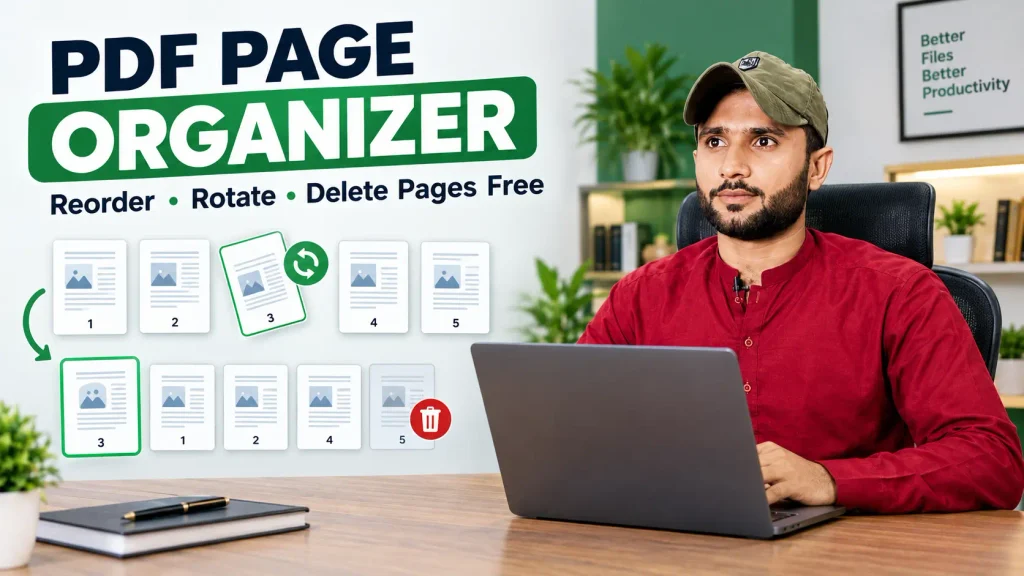
PDF Page Organizer: Reorder, Rotate & Delete Pages Free
Need to fix the page order of a PDF? Upload your file, drag the pages into the order you want, rotate or delete any page you don’t need, and download the updated PDF. This free PDF page organizer works in your browser, with no software to install, no signup, and no watermark on your file.
Whether you scanned pages in the wrong order, need to remove a blank page, or want to turn a sideways page upright, you can do it in a few clicks.
What Is a PDF Page Organizer?
A PDF page organizer lets you rearrange the pages inside a PDF file. You see every page as a thumbnail, so you can move, rotate, or remove pages visually instead of editing the document line by line. The result is a clean, correctly ordered PDF you can send, print, or archive.
How to Organize PDF Pages Online
- Upload your PDF. Click “Choose File” or drag and drop it onto the page.
- View your pages. Each page appears as a thumbnail so you can see the whole document at a glance.
- Reorder pages. Drag a page to a new position to change the sequence.
- Rotate or delete pages. Fix sideways scans or remove blank and unwanted pages.
- Download your PDF. Save the updated file and scroll through it to confirm everything looks right.
Most documents are done in under a minute.
What You Can Do With It
- Reorder pages: put scanned pages back in the correct sequence.
- Rotate pages: turn sideways or upside-down scans the right way up.
- Delete pages: remove blank pages, duplicates, or sections you don’t want to share.
- Prepare files for upload: clean up a document before submitting it to an application or exam portal.
Why Use an Online PDF Page Organizer?
- 100% free to use. No subscription, no trial period, and no watermark.
- No installation. It runs in your browser on desktop, tablet, or phone.
- Fast. Upload, adjust, and download in seconds.
- Visual. Thumbnails make it easy to see exactly what you’re changing.
- Original quality. Your text, images, and formatting stay as they were.
Common Situations Where You’ll Need It
- Scanned pages came out in the wrong order
- A document has blank pages from double-sided scanning
- One page was scanned sideways or upside down
- You need to remove a confidential page before sharing a file
- A form has pages out of sequence after merging several files
- You want a cover page or appendix moved to a different position
Organize vs. Split vs. Merge: What’s the Difference?
| Tool | What it does | Best for |
|---|---|---|
| Organize PDF | Reorders, rotates, and deletes pages inside one file | Fixing page order and cleaning up a document |
| Split PDF | Breaks one file into several files | Sharing sections separately |
| Merge PDF | Combines several files into one | Putting separate documents together |
A common workflow is to merge several PDFs first, then use the organizer to adjust the final page order.
Tips for Best Results
- Keep a copy of your original. That way you can start over if you change your mind.
- Check every page after downloading. A quick scroll catches mistakes before you send the file.
- Delete pages carefully. Make sure a page is really unnecessary before removing it.
- Stay within the file size limit. Files up to 10 MB each are supported. If your PDF is larger, compress it first.
- Remove passwords first. Locked PDFs usually need to be unlocked before editing.
Also Check tool: Split PDF Online Free — Fast & Easy PDF Splitter Tool
Is It Safe to Organize PDFs Online?
Your files are encrypted during transfer and automatically deleted from our servers shortly after processing. We don’t store copies, scan your content for advertising, or share your documents with third parties. For highly sensitive files, read the privacy policy of any tool before uploading and avoid public Wi-Fi.
Frequently Asked Questions
Is the PDF page organizer free?
Yes. It’s free to use, with no signup and no watermark.
Can I reorder pages in a PDF online?
Yes. Upload your file, drag the page thumbnails into the new order, and download the updated PDF.
How do I delete a page from a PDF?
Upload the file, select the page you want to remove, delete it, and download the new version.
Can I rotate a single page?
Yes. You can rotate individual pages without affecting the rest of the document.
Will organizing my PDF reduce its quality?
No. Text, images, and formatting stay as they were in the original.
Does it work on my phone?
Yes. It runs in your mobile browser on Android and iPhone, with nothing to install.
Do I need to create an account?
No account, sign-up, or email is required.
What is the maximum file size?
Each file can be up to 10 MB.