Merge PDF
Select PDFs to merge
PDF Toolkit
All-in-one: split, merge, convert, rotate, unlock, compress, edit — right in your browser.
Split PDF
Separate one page or a whole set for easy conversion into independent PDF files.
Compress PDF
Reduce file size while optimizing for maximal PDF quality.
PDF to Word
Easily convert your PDF files into easy to edit DOC and DOCX documents.
PDF to JPG
Convert each PDF page into a JPG or extract all images contained in a PDF.
Rotate PDF
Rotate your PDFs the way you need them. You can even rotate multiple PDFs at once.
Unlock PDF
Remove PDF password security, giving you the freedom to use your PDFs as you want.
Edit PDF
Add text, images, shapes or freehand annotations to a PDF document.
Word to PDF
Make DOC and DOCX files easy to read by converting them to PDF.
Combine multiple PDF files into a single document in just a few clicks. Merge PDF Easy is a free online tool that lets you merge PDFs quickly no installation, no registration, and no hidden charges. Simply upload your files, arrange them in the order you want, and download your merged PDF instantly.
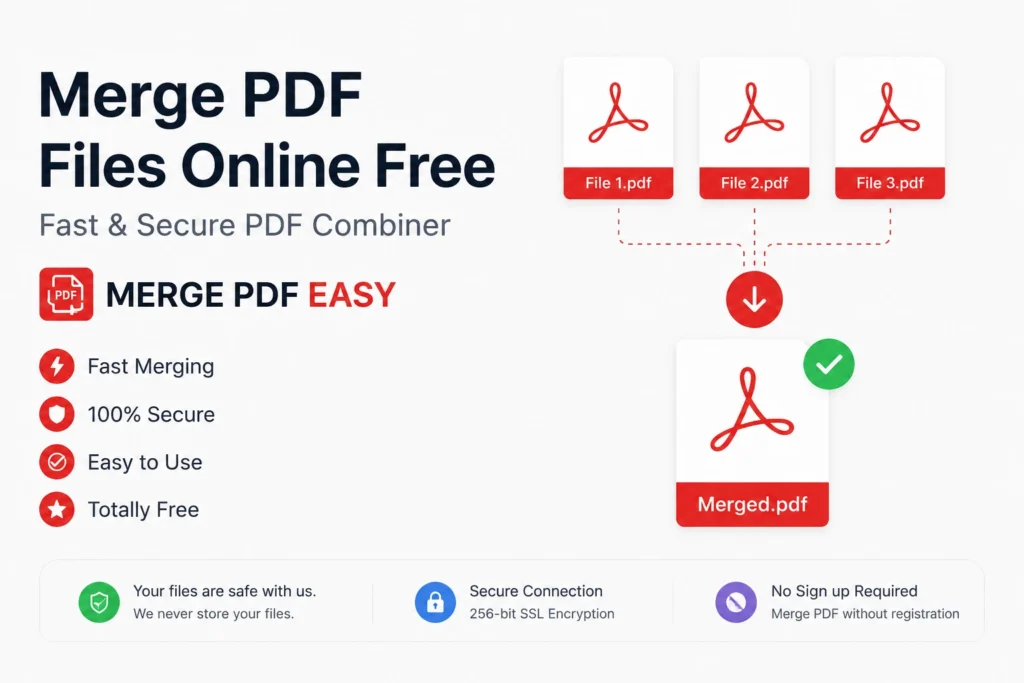
Whether you need to combine a couple of scanned pages or bundle a dozen reports into one file, Merge PDF Easy is built to handle it. There’s no software to download, no account to create, and no confusing settings just three simple steps between you and one clean, organized PDF.
Why Choose Merge PDF Easy?
100% Free to Use
No hidden fees, no subscription required. Merge as many files as you need, completely free. Unlike tools that lock essential features behind a paywall, we give you full access from the very first use no trial period, no credit card, and no watermark tax.
Fast & Simple
Our tool merges your files in seconds. Upload, arrange, download that’s it. Our servers are optimized for speed, so even large batches process almost instantly.
Safe & Secure
All uploaded files are automatically deleted from our servers after processing. Many people use this tool for sensitive material contracts, invoices, personal records so we built our infrastructure around encryption and automatic deletion, giving you peace of mind every time you use it.
Works on Any Device
No installation needed. Use Merge PDF Easy directly from your browser on desktop, mobile, or tablet it adapts to any screen size and operating system.
No Watermarks
We never add watermarks to your merged files. What you download is exactly what you uploaded combined, clean, and professional.
Unlimited Merges
No daily limits. Some competing tools cap how many times you can merge for free, but we believe a good tool shouldn’t punish you for using it often.
How to Merge PDF Files Online
- Upload your files — Click “Choose Files” or drag and drop the PDFs you want to combine.
- Arrange the order — Drag files up or down to set the sequence you want.
- Click “Merge PDF” — The tool instantly combines everything into one document.
- Download your file — Save it to your device or share it directly.
That’s the entire process no learning curve, no manual to read. If you’ve ever wondered how to combine PDF files without technical headaches, this four-step process proves it can be done in under a minute.
Who Can Use This Tool?
- Students — Combine assignment pages, notes, or research papers into one file instead of emailing five separate attachments.
- Office Professionals — Merge reports, invoices, or contracts quickly when compiling monthly paperwork or client bundles.
- Teachers — Combine worksheets or exam papers into a single document, especially useful when preparing a semester’s materials.
- Businesses — Merge scanned forms and agreements without installing enterprise software.
- Freelancers & Creatives — Turn scattered portfolios, proposals, and case studies into one polished presentation.
- Legal & Administrative Teams — Combine court filings, HR documents, and compliance paperwork into a single record for archiving or submission.
Why an Online Tool Beats Traditional Software
Desktop software for combining documents can be expensive, slow to install, and often limited to one operating system. Doing it online removes those barriers nothing to download, nothing to update, nothing tying you to one computer. Start a merge on your work laptop and finish it on your phone.
This matters most for people who only occasionally need to combine files. Paying for a full desktop license to merge a handful of documents a few times a year rarely makes sense. A free tool like Merge PDF Easy gives you the same core functionality without the commitment.
Common Situations Where You’ll Need This
People need to combine PDFs for all sorts of everyday reasons:
- Combining a cover letter and resume into a single application file
- Merging scanned receipts into one document for expense reports
- Putting together an e-book or manual from separate chapter files
- Joining multiple invoices into one file for accounting
- Compiling research papers, citations, and appendices into a single submission
- Merging signed contract pages that were scanned individually
- Creating one onboarding packet from various HR forms
In each case, a fast, dependable tool turns a scattered set of files into something organized and easy to send, print, or archive.
Tips for Getting the Best Results
- Name your files clearly before uploading. It’s much easier to arrange them correctly when they’re labeled.
- Check the file order twice before downloading. A quick review saves you from redoing the merge.
- Compress large files first if needed. Smaller originals mean a faster merge.
- Keep a backup of your originals. Merging is non-destructive, but it’s good practice until you’ve confirmed the result.
- Use consistent page sizes when possible. Documents from different sources sometimes have different dimensions — keeping them consistent gives a more professional final result.
Security and Privacy: How We Protect Your Documents
When you’re uploading anything with financial details, personal information, or business contracts, privacy matters as much as speed. Every file sent to Merge PDF Easy is encrypted during transfer and automatically deleted from our servers shortly after your merged file is created. We don’t store copies, we don’t scan your content for advertising, and we don’t share your documents with third parties.
Frequently Asked Questions
Is Merge PDF Easy really free?
Yes 100% free, with no hidden charges or subscription needed. Use it as often as you like.
Do I need to install any software?
No. It works entirely in your browser, with no downloads required.
Is it safe to upload my PDF files?
Yes. All files are encrypted during upload and automatically deleted from our servers shortly after processing.
What’s the maximum file size I can merge?
Each file can be up to 10 MB.
Can I merge PDFs on my mobile phone?
Yes the tool is fully mobile-friendly and works on any smartphone or tablet browser.
Will merging affect the quality of my documents?
No. The tool preserves the original formatting, images, and text quality of every page.
Can I rearrange pages after merging?
You can set the order of your files before merging, so the final document follows exactly the sequence you intend.
Do I need to create an account?
No account, no sign-up, and no email required. Just upload and merge.