Online PDF Editor Free
Select PDF to edit
Upload a PDF to start editing. You can add text, images, tables, and more.
All changes will be preserved when you download.
Online PDF Editor Free: The Easiest Way to Edit PDF Files Without Any Software
In today’s digital world, PDF files are everywhere whether it’s an important office document, a student’s assignment, or a business invoice. But whenever you need to make changes to these files, most people get confused about how to edit a PDF without expensive software. This is exactly where Online PDF Editor Free tools come in handy.
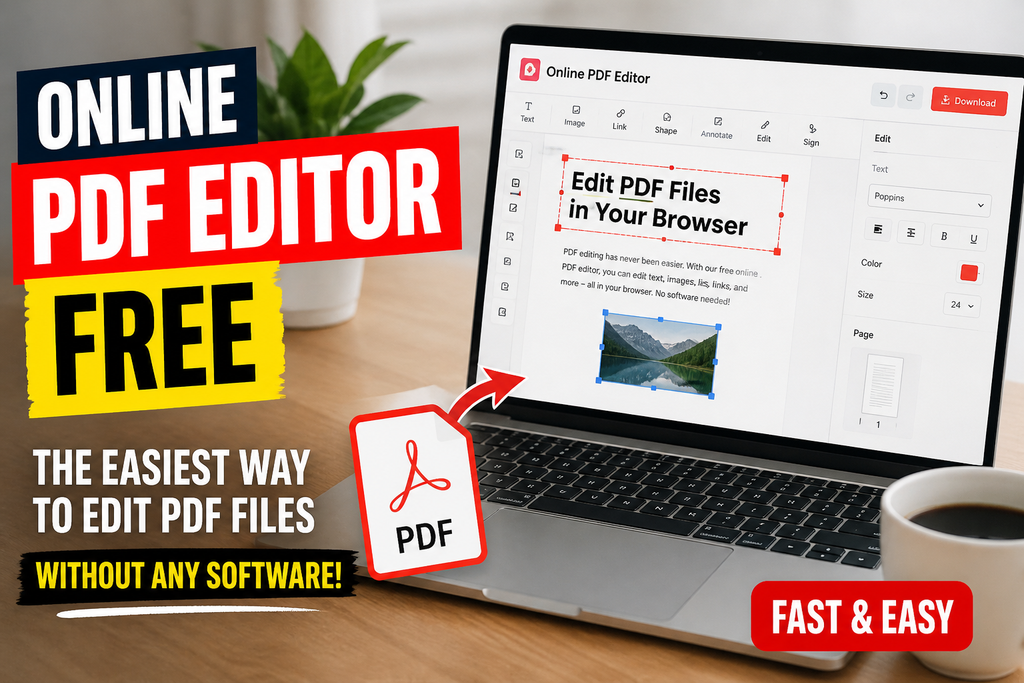
In this article, we’ll take a detailed look at what an online PDF editor is, how it works, what benefits it offers, and how you can edit your PDF files professionally, completely free of cost.
What Is an Online PDF Editor?
An online PDF editor is a web-based tool that lets you edit PDF files directly inside your browser. This means you don’t need to download or install any heavy software on your computer or mobile device. Just open a website, upload your file, and start editing right away.
These tools run on cloud-based technology, which means:
- Your file can be accessed from any device
- There’s no installation hassle
- You save storage space
- It works across every platform Windows, Mac, Android, or iPhone
Why Do You Need a Free Online PDF Editor?
In the past, editing a PDF meant buying expensive software like Adobe Acrobat. But times have changed. Here are some reasons why people are now turning to free online PDF editors:
1. Saves Money
The biggest reason is that these tools are completely free. You don’t need any subscription or license.
2. Saves Time
There’s no time wasted downloading or installing software. Just open the website and get started.
3. Access From Anywhere
Whether you’re at home, in the office, or traveling all you need is an internet connection to edit your files.
4. User-Friendly Interface
Most online PDF editors have such a simple interface that even a beginner can use them with ease.
Features of a Free Online PDF Editor
A good online PDF editor isn’t limited to just editing text. It usually includes several features that make it a complete solution:
Edit PDF
You can add, remove, or change text, insert images, and adjust formatting.
Merge PDF
If you have multiple PDF files that need to be combined into one, the merge feature does this in just a few seconds.
Split PDF
Need to break a large document into smaller parts? The split tool is very handy for this for example, extracting just 5 pages from a 50-page PDF.
Convert PDF
These tools also let you convert PDF into Word, Excel, PowerPoint, or image formats (JPG, PNG) and the reverse conversion is possible too.
Compress PDF
Reduce the size of large files by compressing them, making it easier to email or upload.
Add E-Signature
Many tools also let you add a digital signature to a document, which is very useful for business and legal documents.
Password Protection
If your file is sensitive, you can protect it with a password so that only authorized people can open it.
Step-by-Step: How to Use a Free Online PDF Editor
Let’s now look at how you can easily edit your PDF file online:
Step 1: Open the Website First, open the online PDF editor website in your browser.
Step 2: Upload Your File Click the “Upload” or “Choose File” button and select your PDF file. Many tools also offer drag-and-drop functionality.
Step 3: Select Editing Tools Once the file is uploaded, you’ll see several options — such as edit text, add image, highlight, or annotate.
Step 4: Make Your Changes Make the changes you need to the document.
Step 5: Save or Download Once editing is complete, download the file or save it directly to cloud storage (like Google Drive).
That’s it! Your PDF file is ready in just a few simple steps.
Free Online PDF Editor vs Paid Software – Which Is Better?
This is a question that comes to many people’s minds. Let’s compare both:
| Feature | Free Online PDF Editor | Paid Software |
|---|---|---|
| Cost | Completely Free | Expensive (Monthly/Yearly) |
| Installation | Not Required | Required |
| Storage Space | Not Needed | Needed |
| Advanced Features | Limited | More |
| Batch Processing | Available in Fewer Tools | Usually Available |
| Offline Access | No | Yes |
If you need very advanced editing on a daily basis, paid software might be the better option. But if your work is limited to simple editing, converting, or merging, a free online PDF editor is more than enough for you.
Things to Keep in Mind While Using a Free Online PDF Editor
There are a few things to be mindful of when using free tools:
- Read the Privacy Policy – Some tools store your files on their servers. Check how long the file is stored and when it gets deleted.
- Be Cautious with Sensitive Documents – If the file contains bank details, ID numbers, or other confidential information, use only a trusted and secure tool.
- Check the File Size Limit – Free tools often have file size limits, so check the limit beforehand for larger files.
- A Stable Internet Connection Is Required – Since these are online tools, a stable internet connection is necessary.
Who Can Benefit From a Free Online PDF Editor?
- Students – For editing assignments, theses, and notes
- Office Employees – For preparing reports, contracts, and invoices
- Business Owners – For managing client documents and agreements
- Freelancers – For sending professional PDF files to clients
- Teachers – For creating worksheets and study material
Frequently Asked Questions (FAQs)
Is an online PDF editor really free?
Yes, most basic features are free. Some tools offer a premium plan for advanced features, but the free version is enough for normal editing.
Can I edit a PDF from my mobile phone?
Absolutely. Online PDF editors work in mobile browsers too, so you can edit PDFs from your Android or iPhone as well.
Is my file safe?
Most reputable tools use encryption and delete the file from their servers after a certain period. Still, it’s best to use a trusted website.
Can a scanned PDF be edited too?
Some advanced tools use OCR (Optical Character Recognition) technology to make scanned PDFs editable as well